Rygo Driver App
I was part of a wider team and contributed to the app through assigned project tickets, each outlining specific requirements for different sections and features.
My typical design process began with initial drafts, followed by wireframes to establish structure and user flow. Once feedback was given and revisions were made, I then created high-fidelity mockups.

CASE STUDY
We track the bus,
so you don’t have to.
About
Rygo is an app that takes the complexity out of vehicle tracking and route planning, allowing passengers to enjoy the experience of using public Transport. With features such as real-time information and digital ticketing, passengers have all that they want at their fingertips.
Problem
Without an app like Rygo, passengers may struggle with limited access to real-time transport updates, route information, and digital ticketing, leading to delays, confusion, and a less convenient travel experience. Relying on multiple systems or outdated information can make public transport feel less reliable and more difficult to use.
Solution
Rygo provides passengers & drivers with a simple, all-in-one platform for navigating public transport more efficiently. By combining real-time vehicle tracking, route planning, service updates, and digital ticketing into a single app, Rygo makes travelling more convenient, reliable, and stress-free for passengers on the go as well as drivers.
Problem
Solution
Rygo Case 01 - Select trip
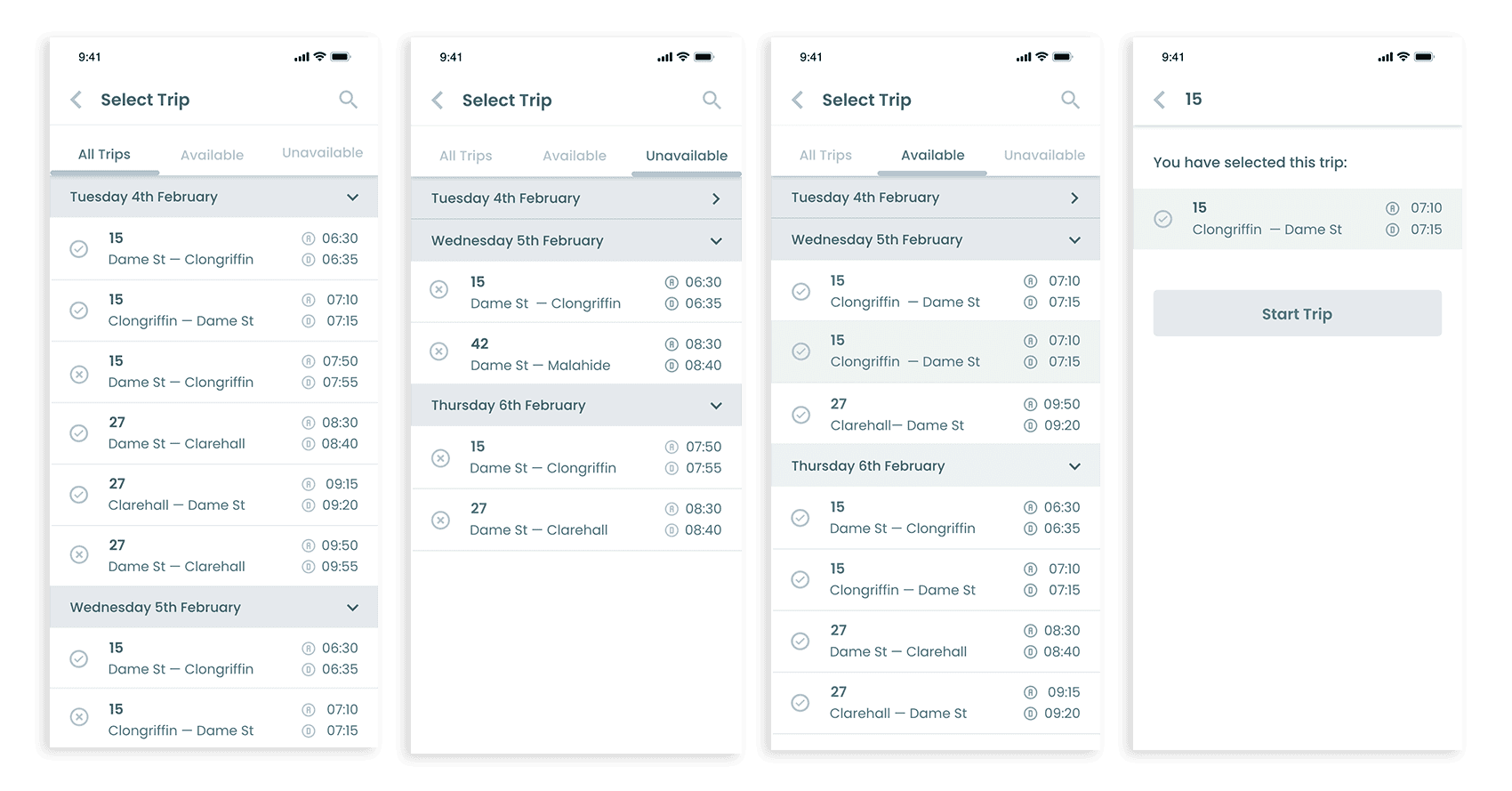
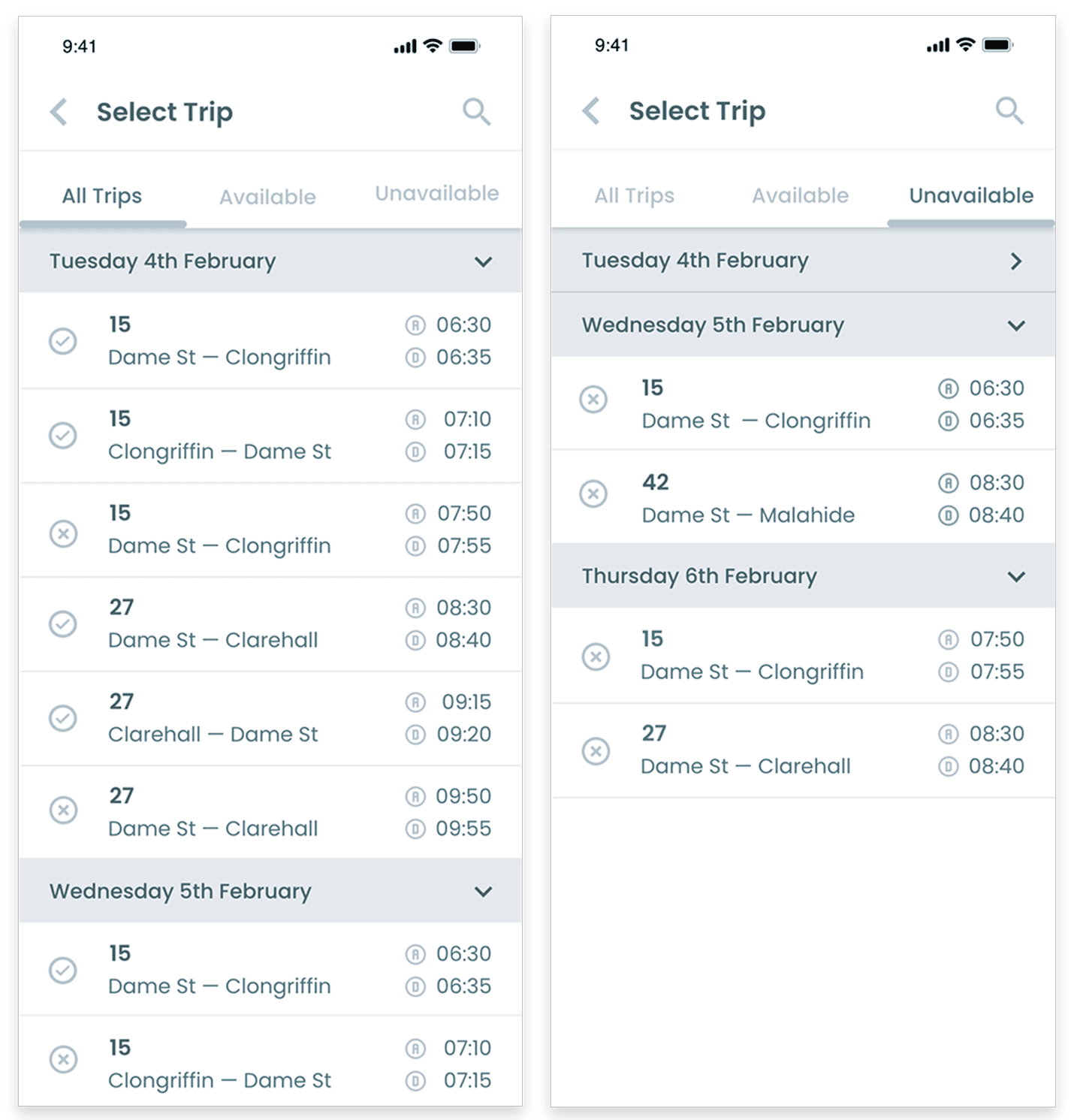
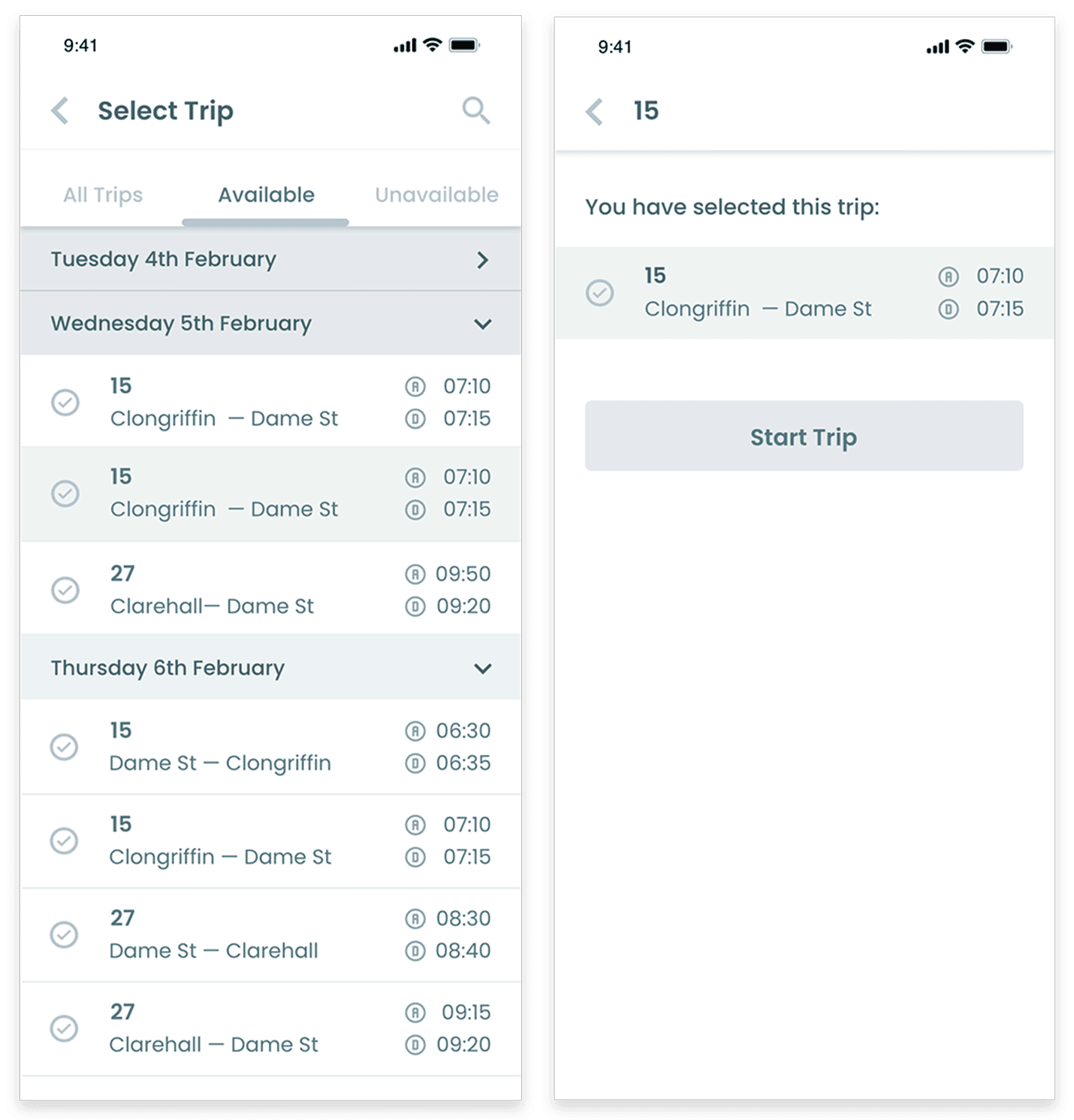
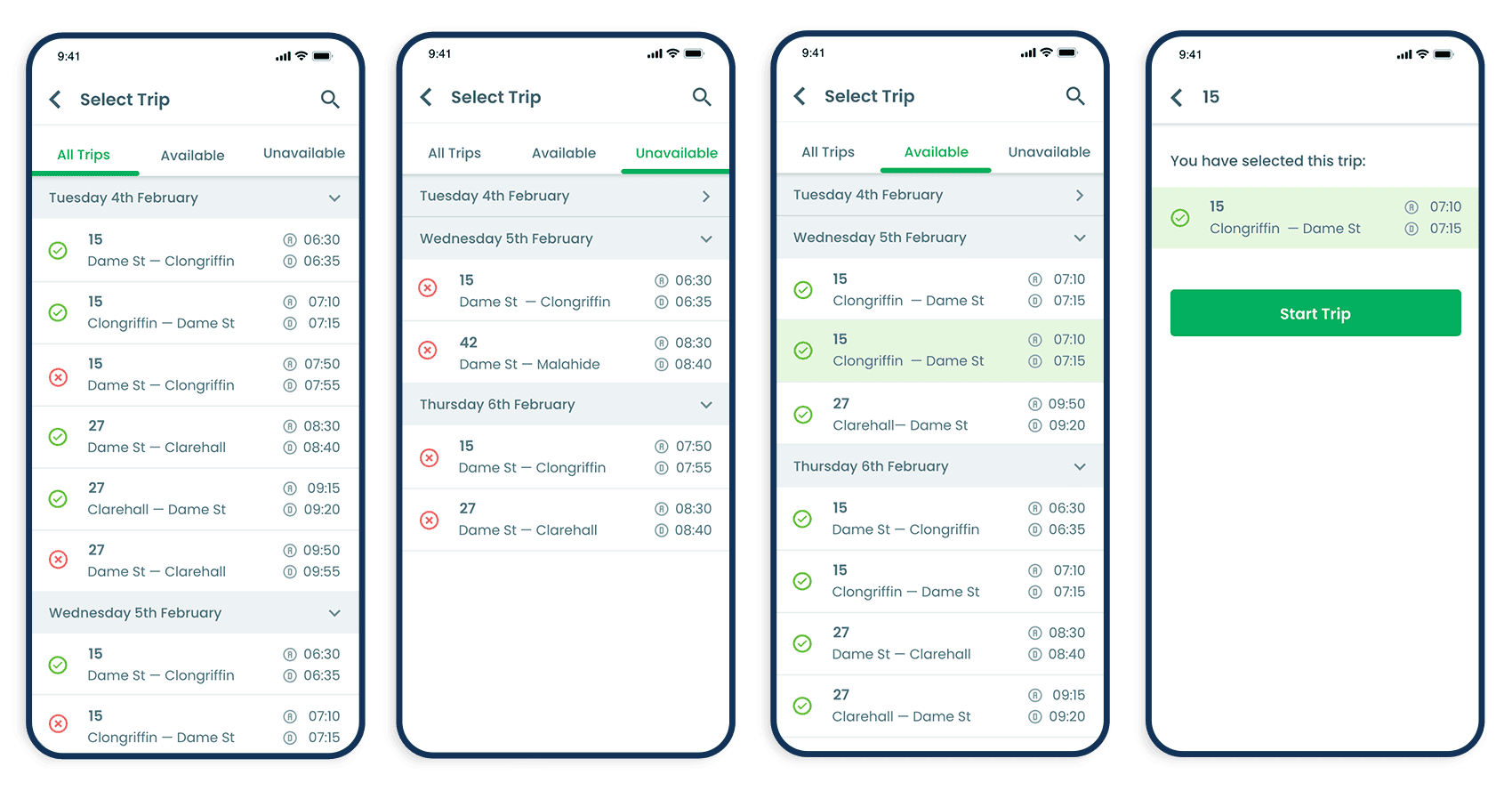
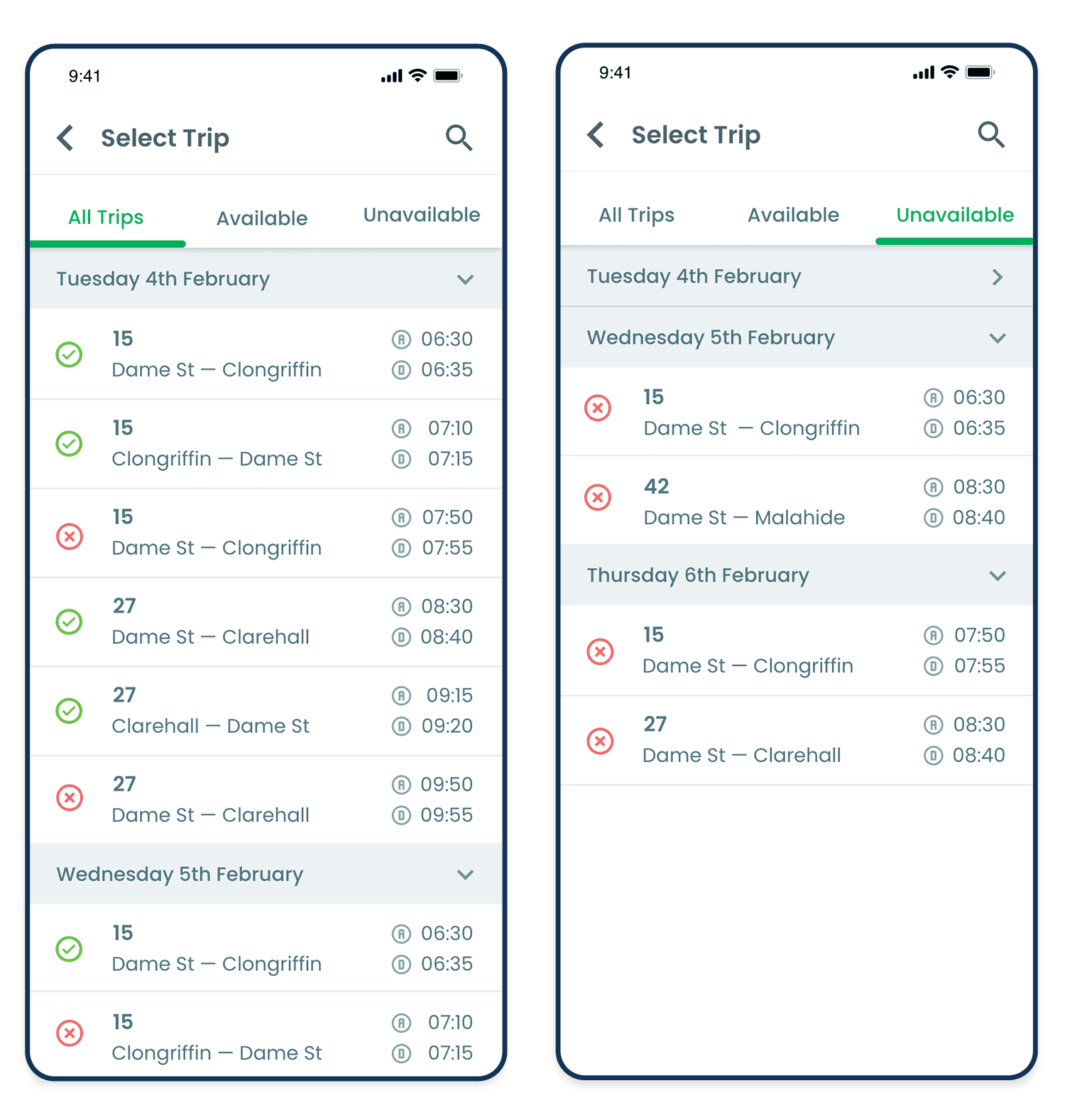
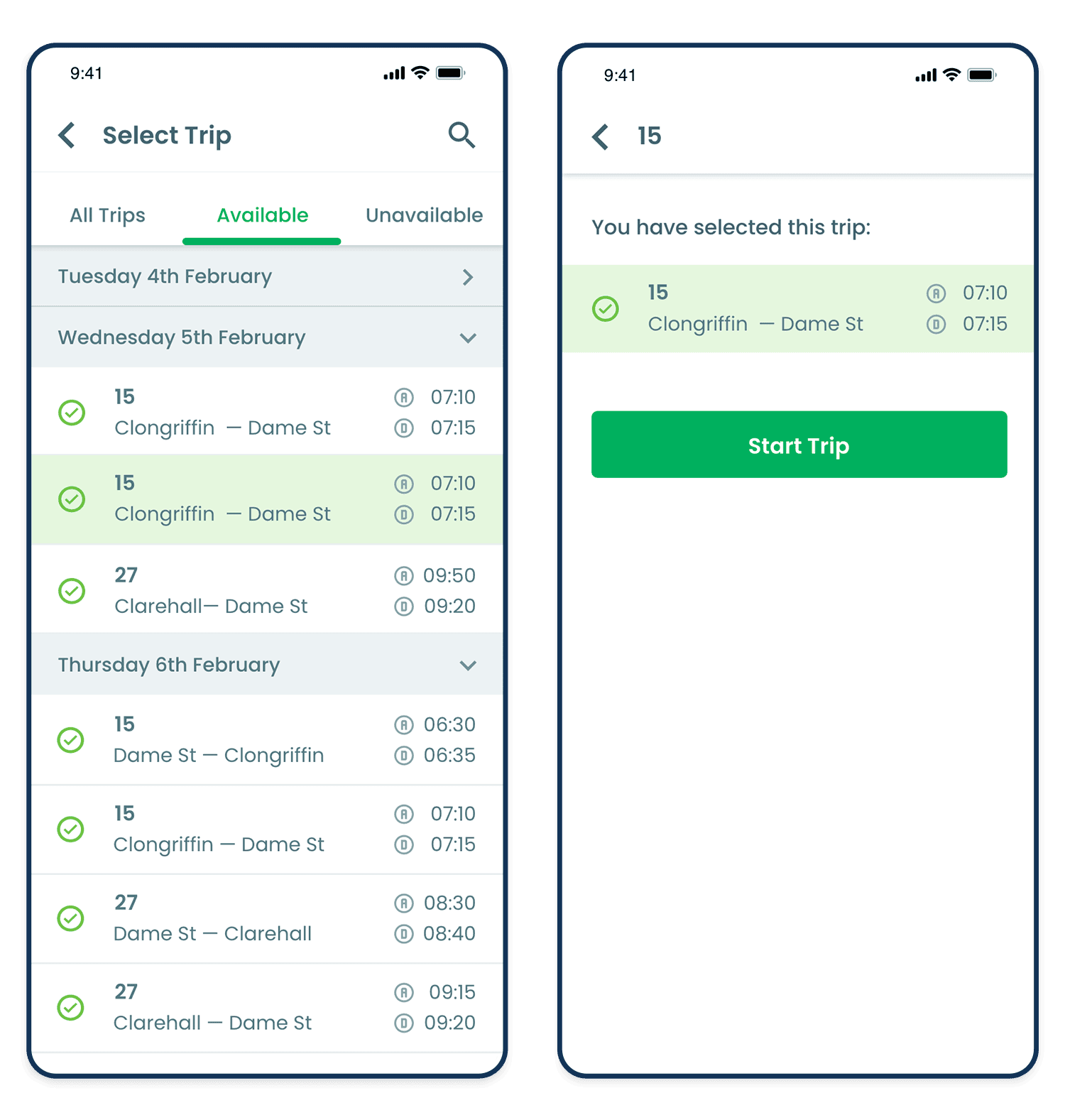
To begin recording a journey, drivers can access the Select Trip screen from the Hub. As driver schedules often change, trips are organised by date within expandable dropdown sections, making it easy to view upcoming assignments.
Drivers can quickly filter journeys using the All Trips, Available, and Unavailable tabs. Once a trip has been selected, a confirmation screen displays the journey details, allowing the driver to start the trip using the Start Trip call-to-action button.
Wireframes
High Fidelity Mockups
Rygo Case 02 - Vehicle Locator
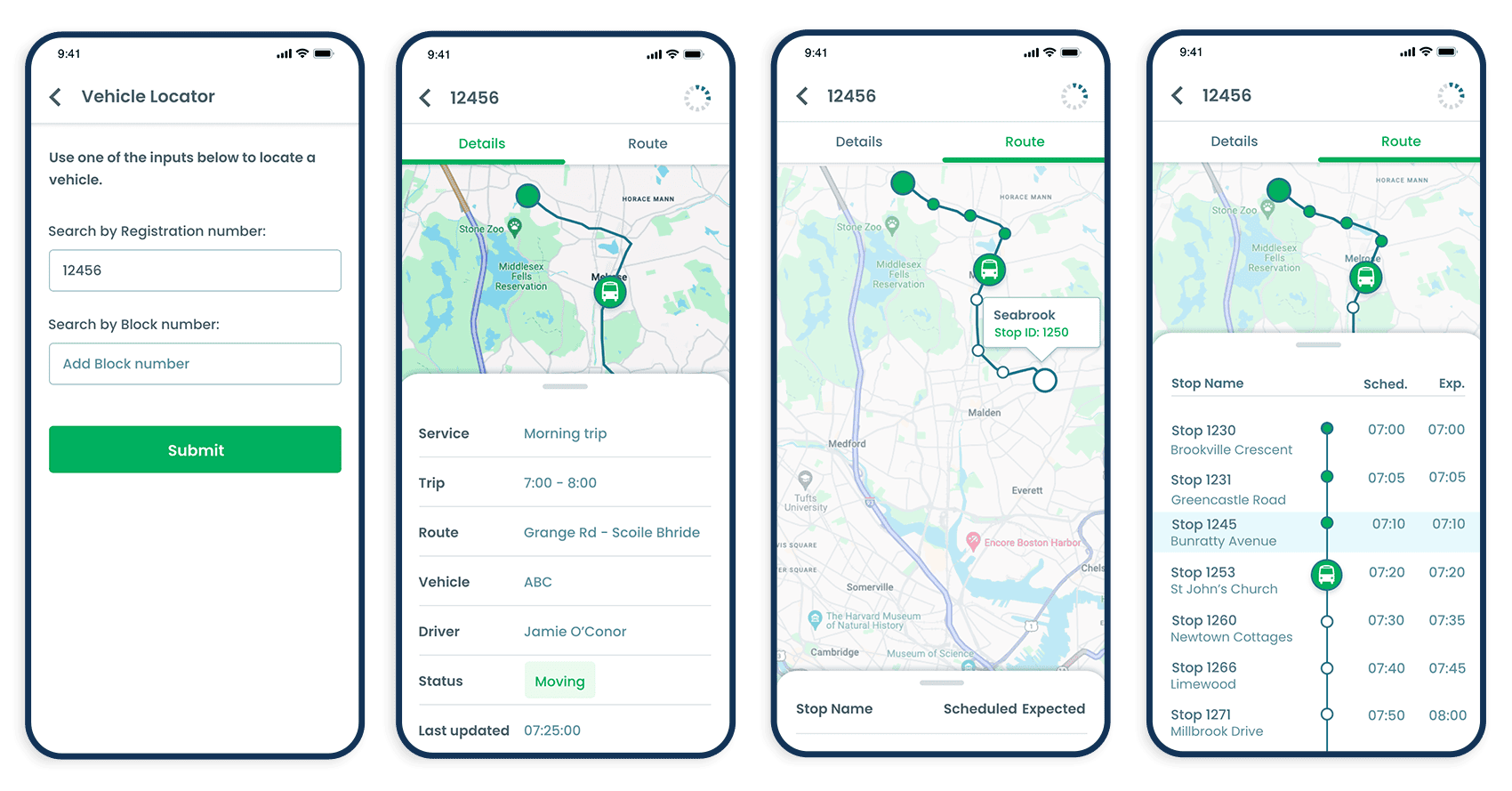
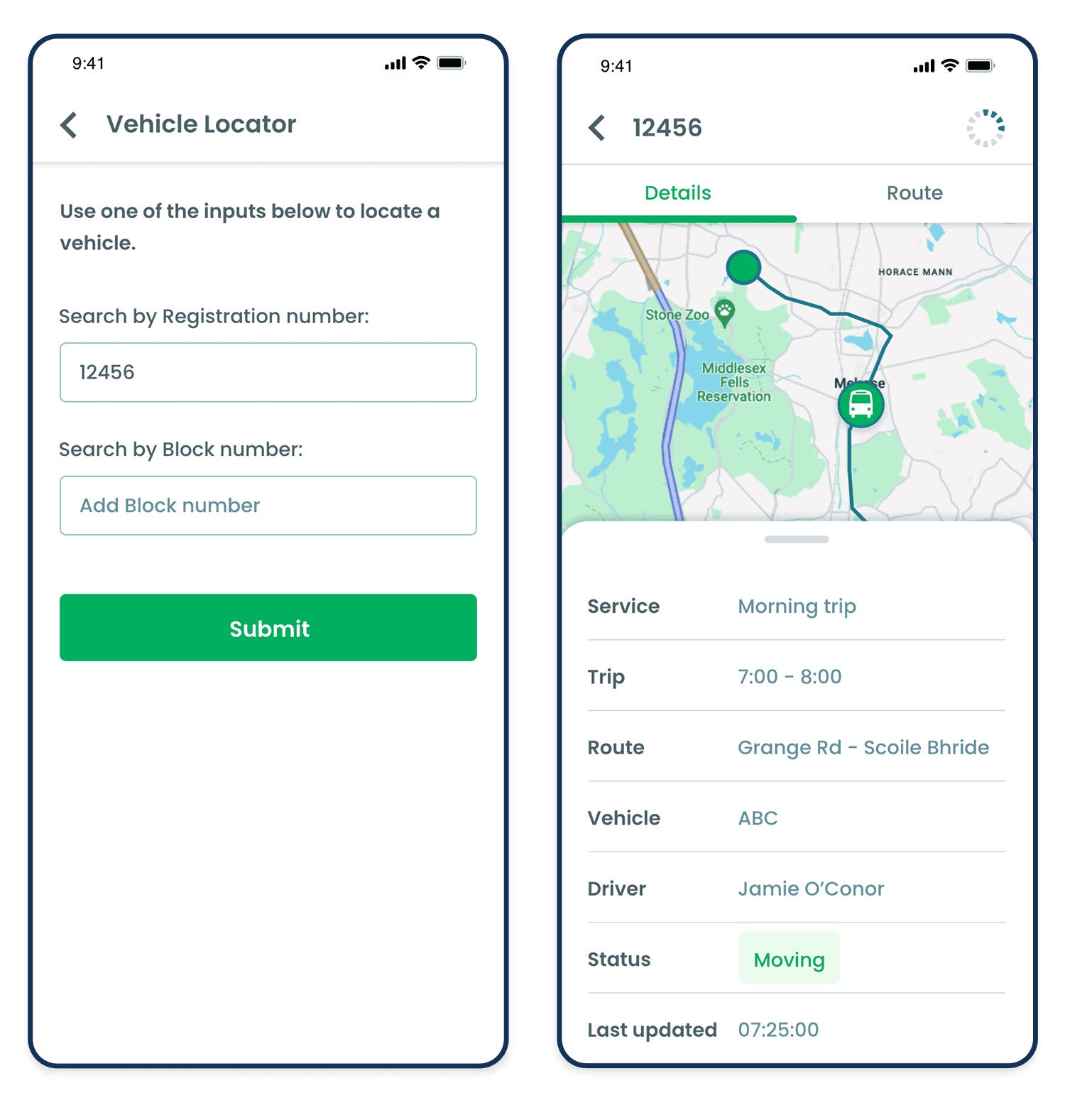
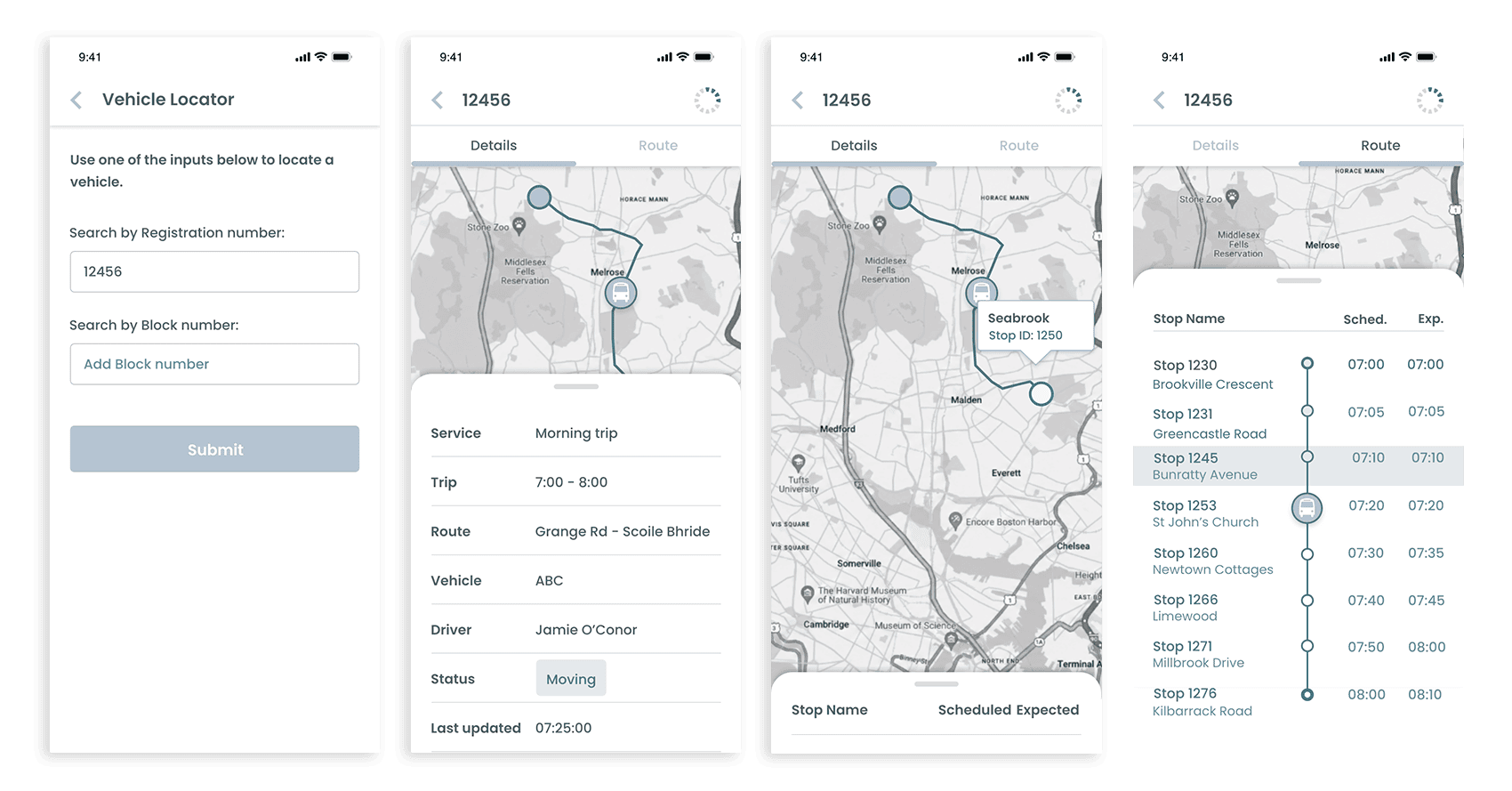
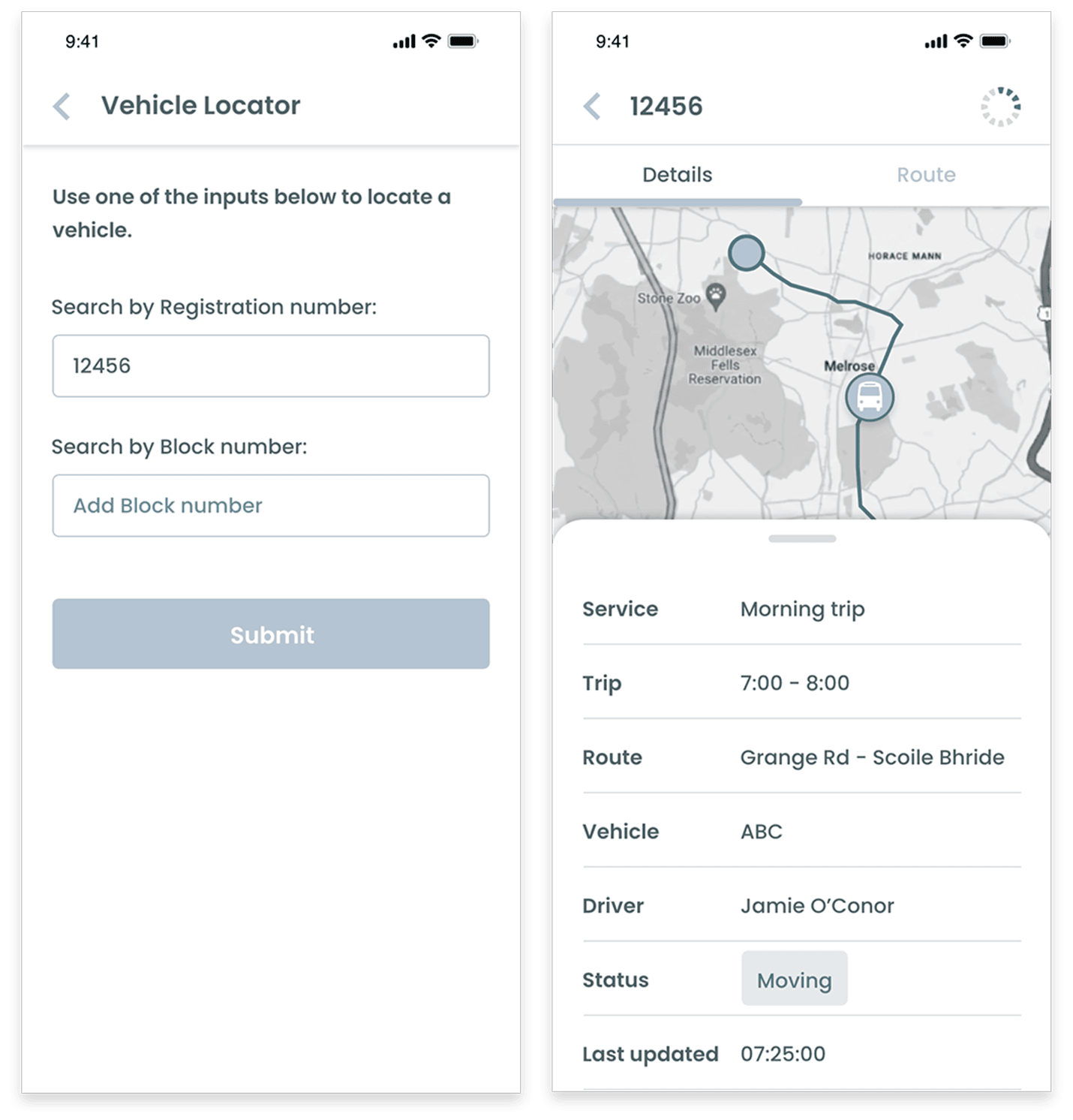
The Vehicle Locator feature allows drivers to quickly find a vehicle by searching with either its registration number or block number. Once a vehicle has been selected, an interactive map displays its current location along with key operational information.
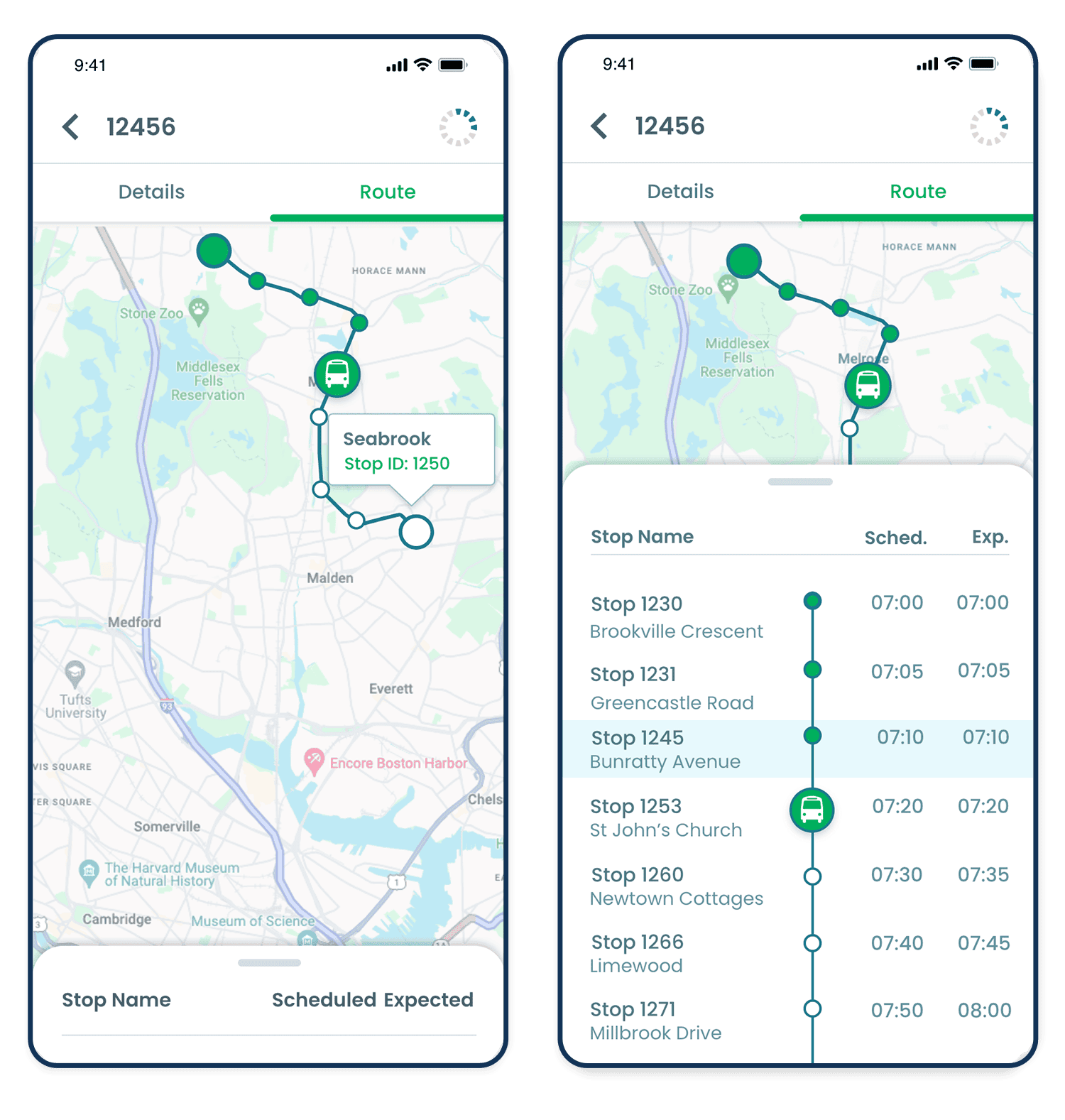
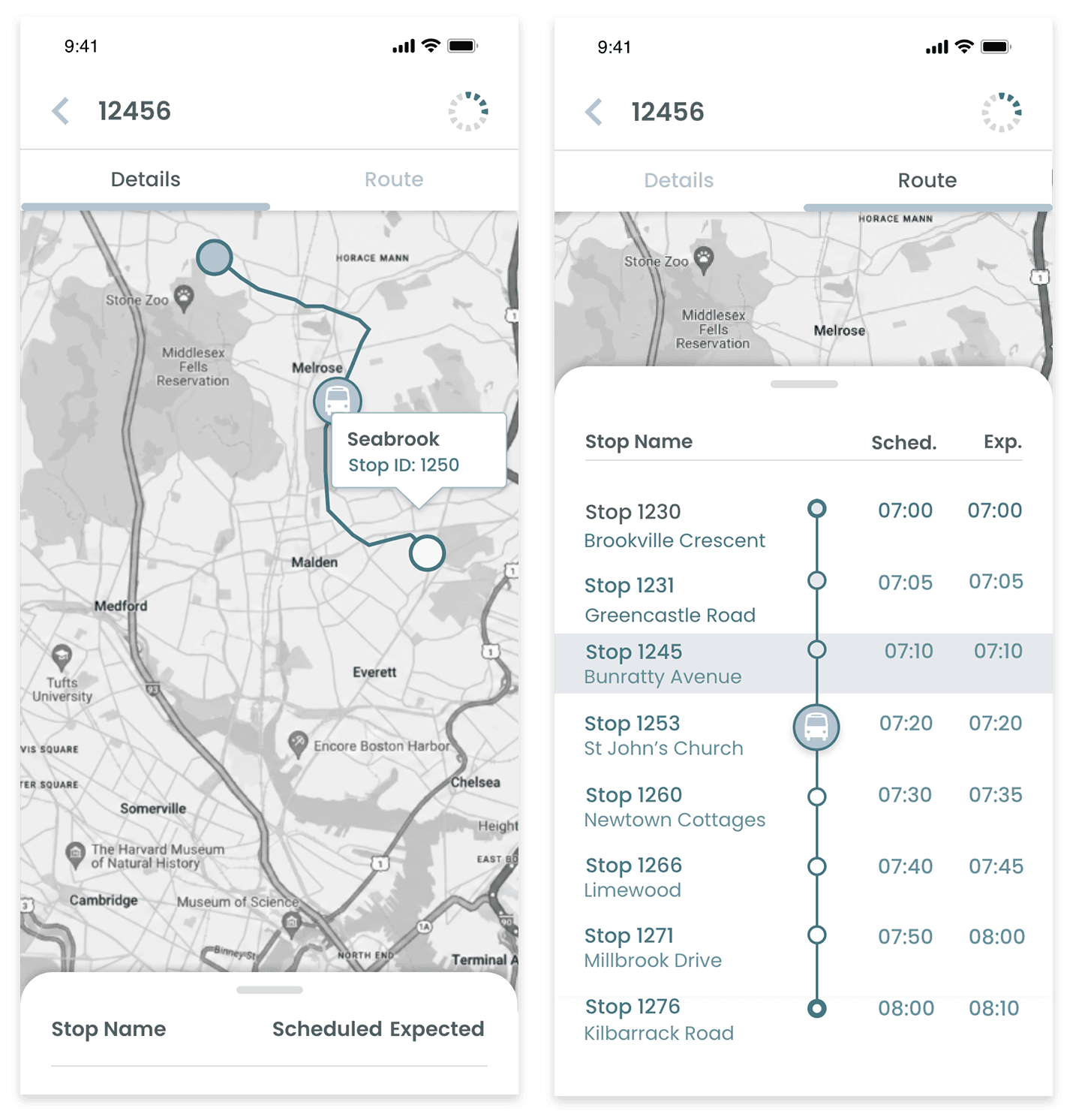
Users can switch between the Details and Route tabs to access different views. The Details tab provides real-time vehicle information, including the assigned service, route, driver, vehicle status, and latest update time. The Route tab displays the vehicle’s journey on a map, highlighting route progression, upcoming stops, and scheduled versus expected arrival times, giving drivers a clear overview of the vehicle’s current position and performance.
Wireframes
High Fidelity Mockups