Unity
Employee App
I was part of a wider team and contributed to the app through assigned project tickets, each outlining specific requirements for different sections and features.
My typical design process began with initial drafts, followed by wireframes to establish structure and user flow. Once feedback was given and revisions were made, I then created high-fidelity mockups.
Case study
Connect drivers,
wherever they are.
About
Unity is uTrack’s employee app designed specifically for transport staff, connecting drivers and employees with the wider business in one central platform. Built for teams on the move, Unity enables seamless communication while also digitising key day-to-day processes such as shift schedules, document access, and staff requests.
Problem
Without a dedicated employee app, drivers can face communication delays, missed updates, and difficulty staying connected with their workplace while on the move. Important information such as shift changes, route updates, company announcements, and operational notices may be spread across phone calls, paper documents, or multiple systems, creating confusion and inefficiency.
Solution
Unity Employee app helps strengthen communication between drivers and the company by providing a single, accessible platform for real-time updates, announcements, schedules, and operational information. Drivers can easily access shift timetables, company documents, submit requests, and complete tasks while on the move, reducing paperwork and administrative delays.
Problem
Solution
Unity Case 01 - Newsfeed
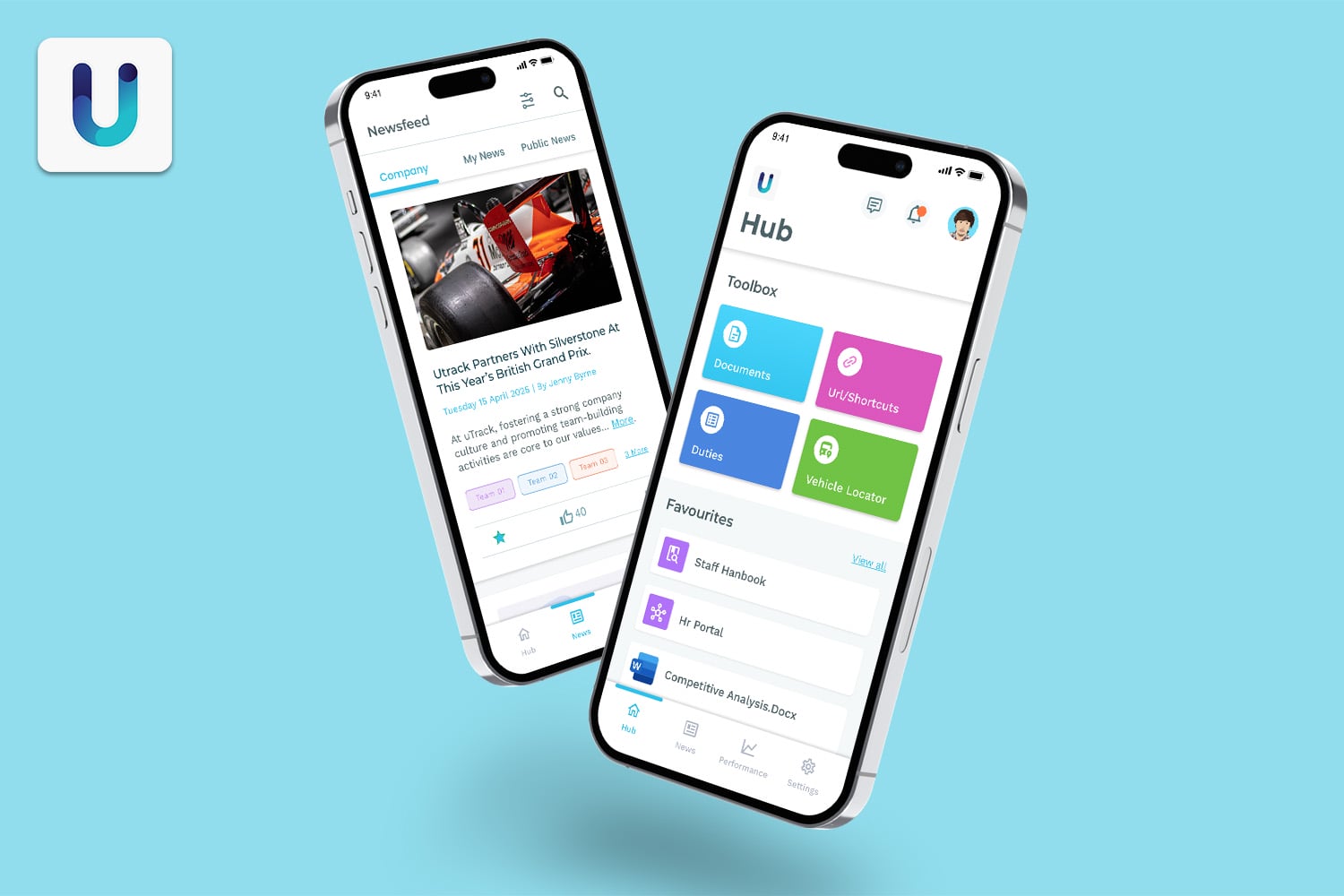
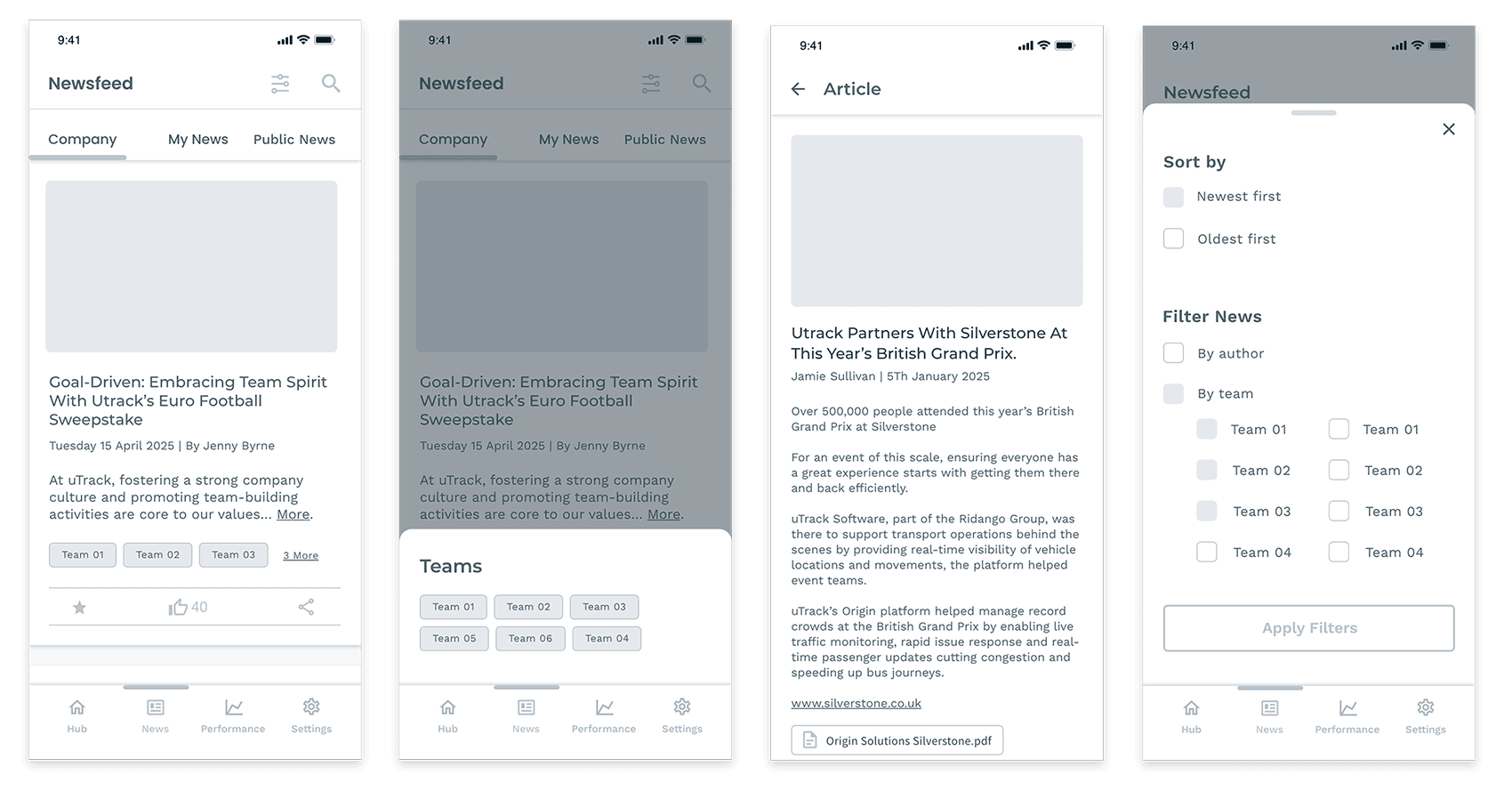
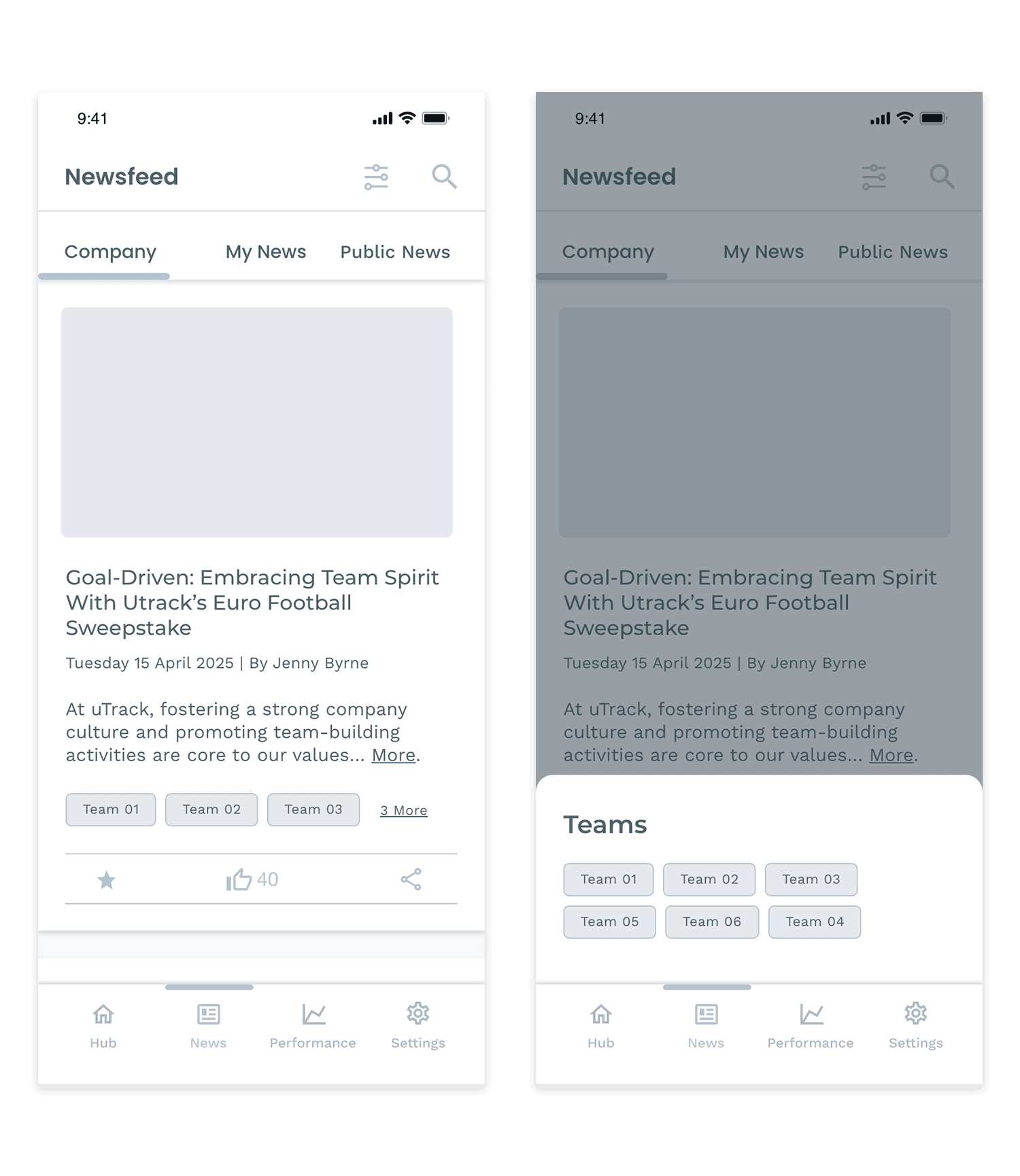
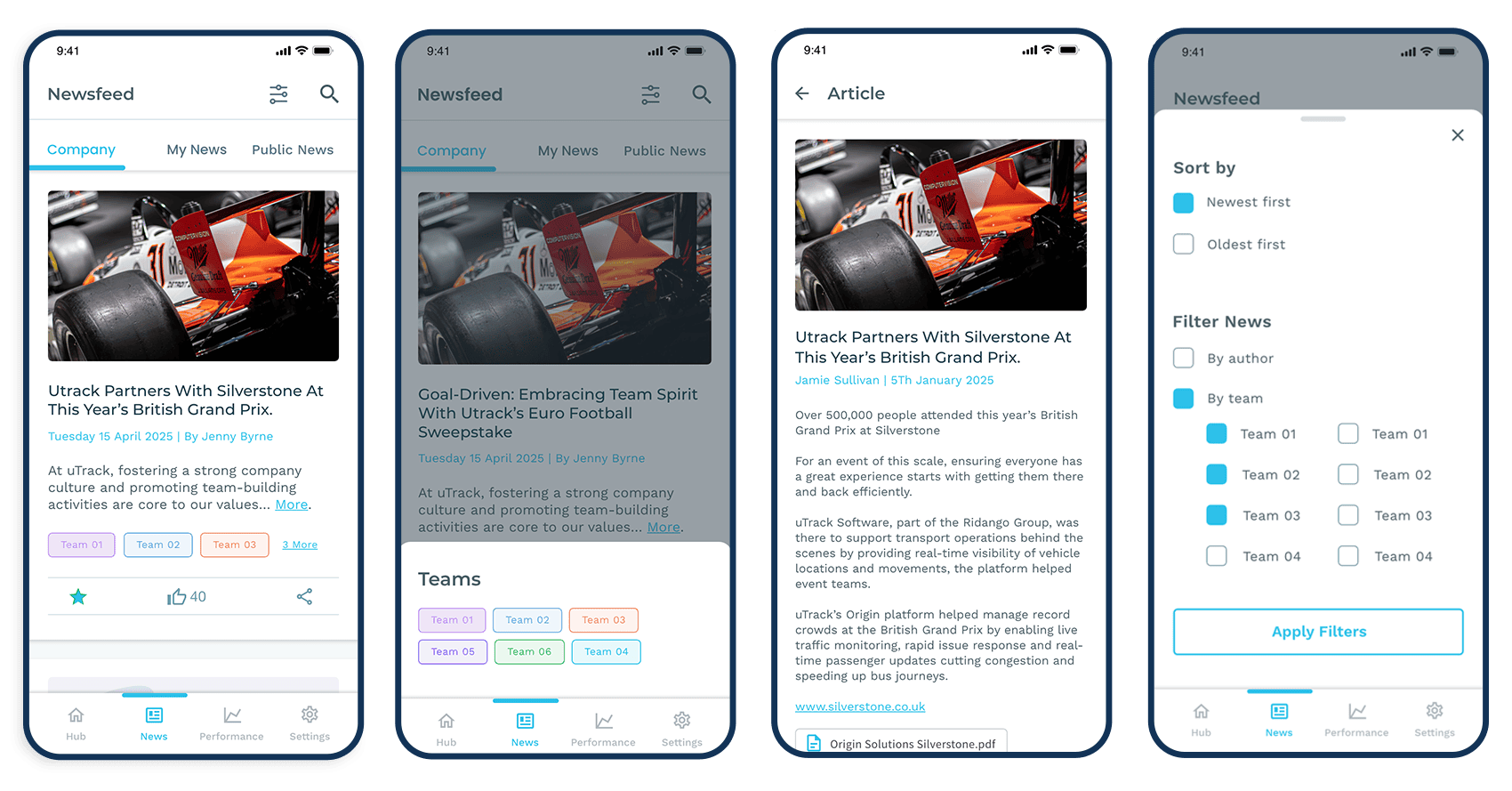
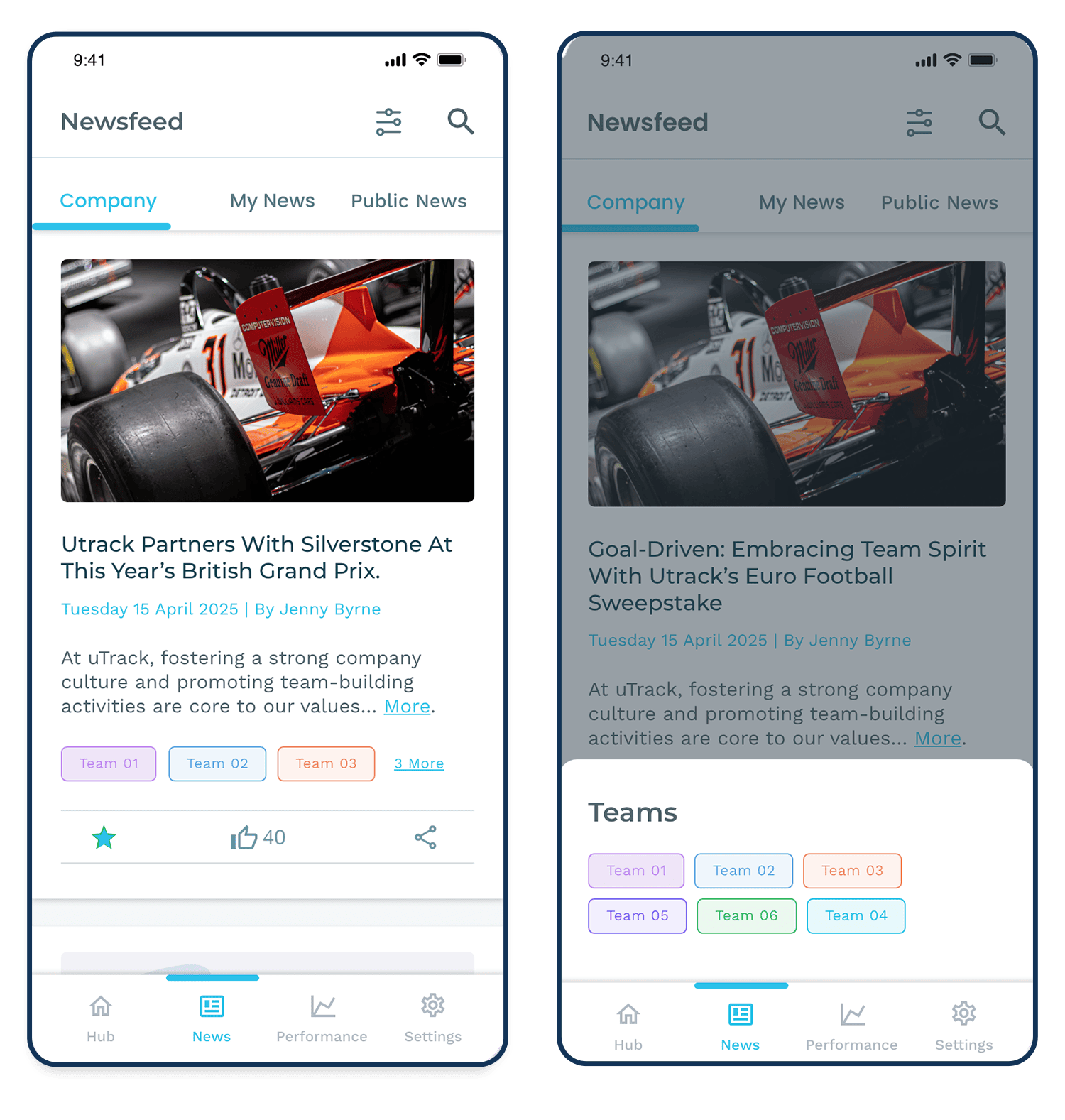
The Newsfeed can be accessed at any time from the footer navigation bar. It is divided into three categories: Company News, My News, and Public News. Each section displays articles in a card layout, featuring the article image, title, author, publication date, preview text, team labels, and social media sharing icons.
Clicking the link beside the team labels opens a slider containing additional related information.
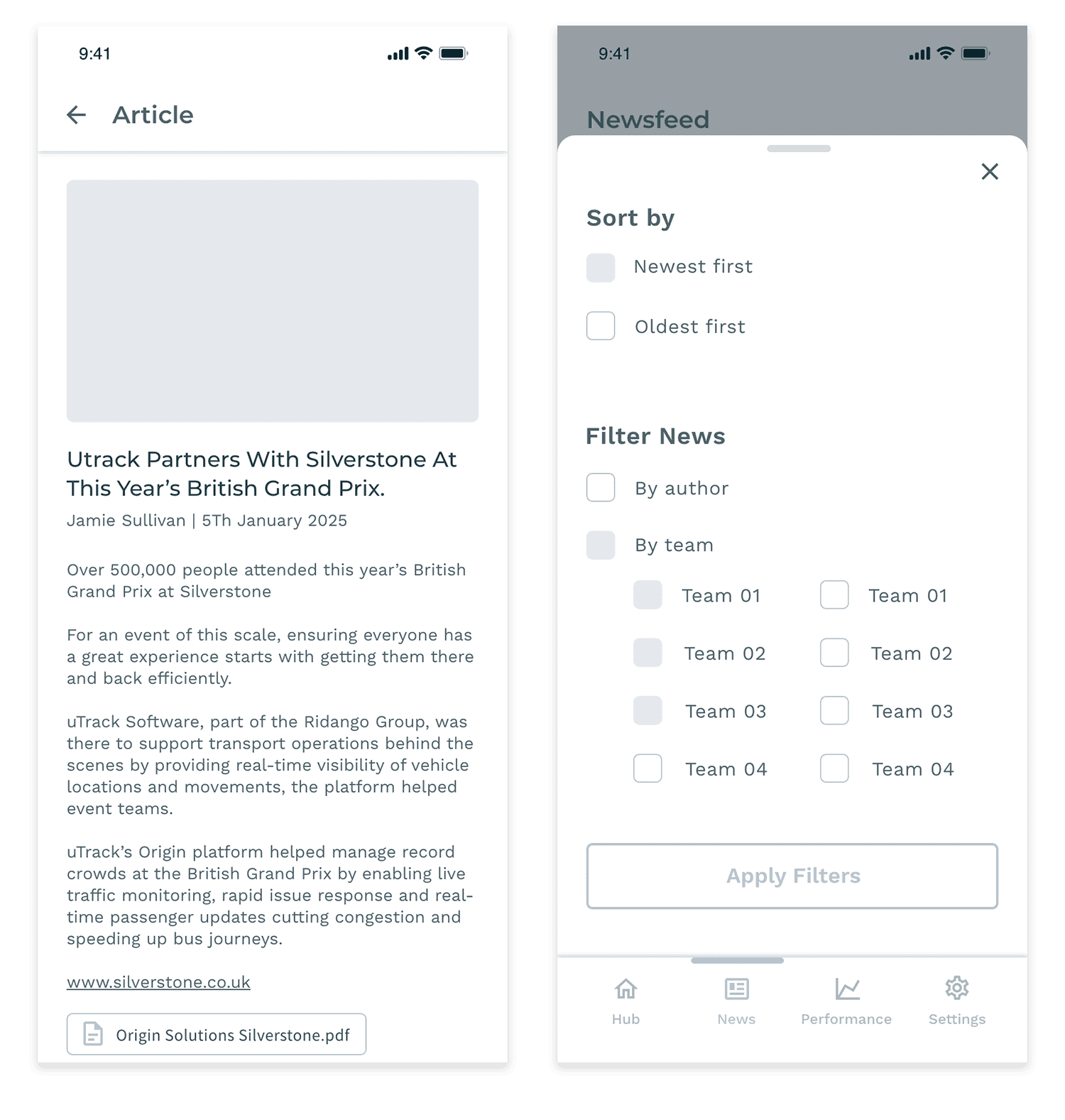
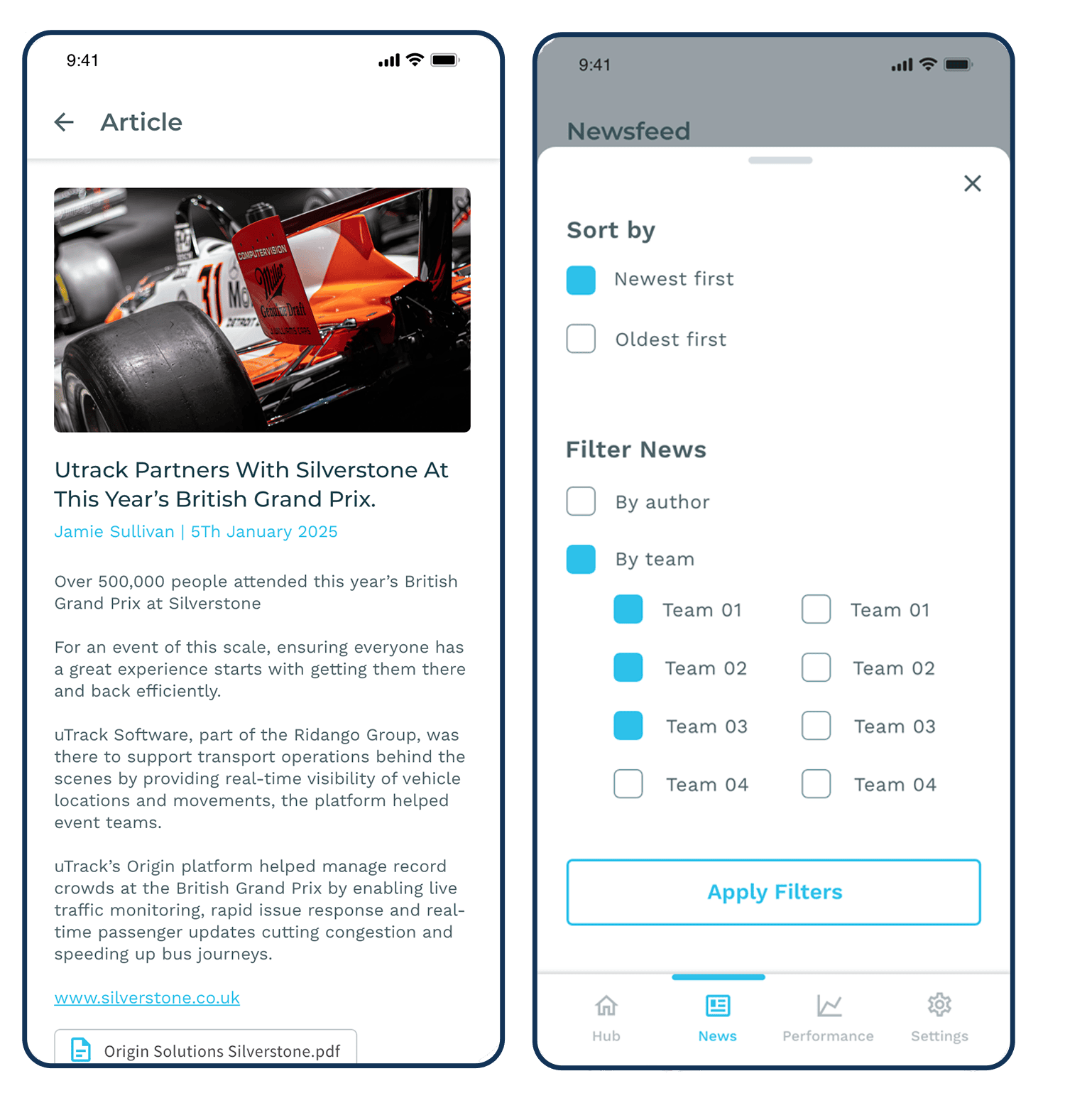
Users can also use the Filter and Sort options to refine articles by author or team. To read the full article, simply click on the card image.
I usually begin with initial drafts before progressing to wireframes. Based on feedback and revisions, I then develop high-fidelity mockups from the approved wireframes.
Wireframes
High Fidelity Mockups
Unity Case 02 - Direct Messages
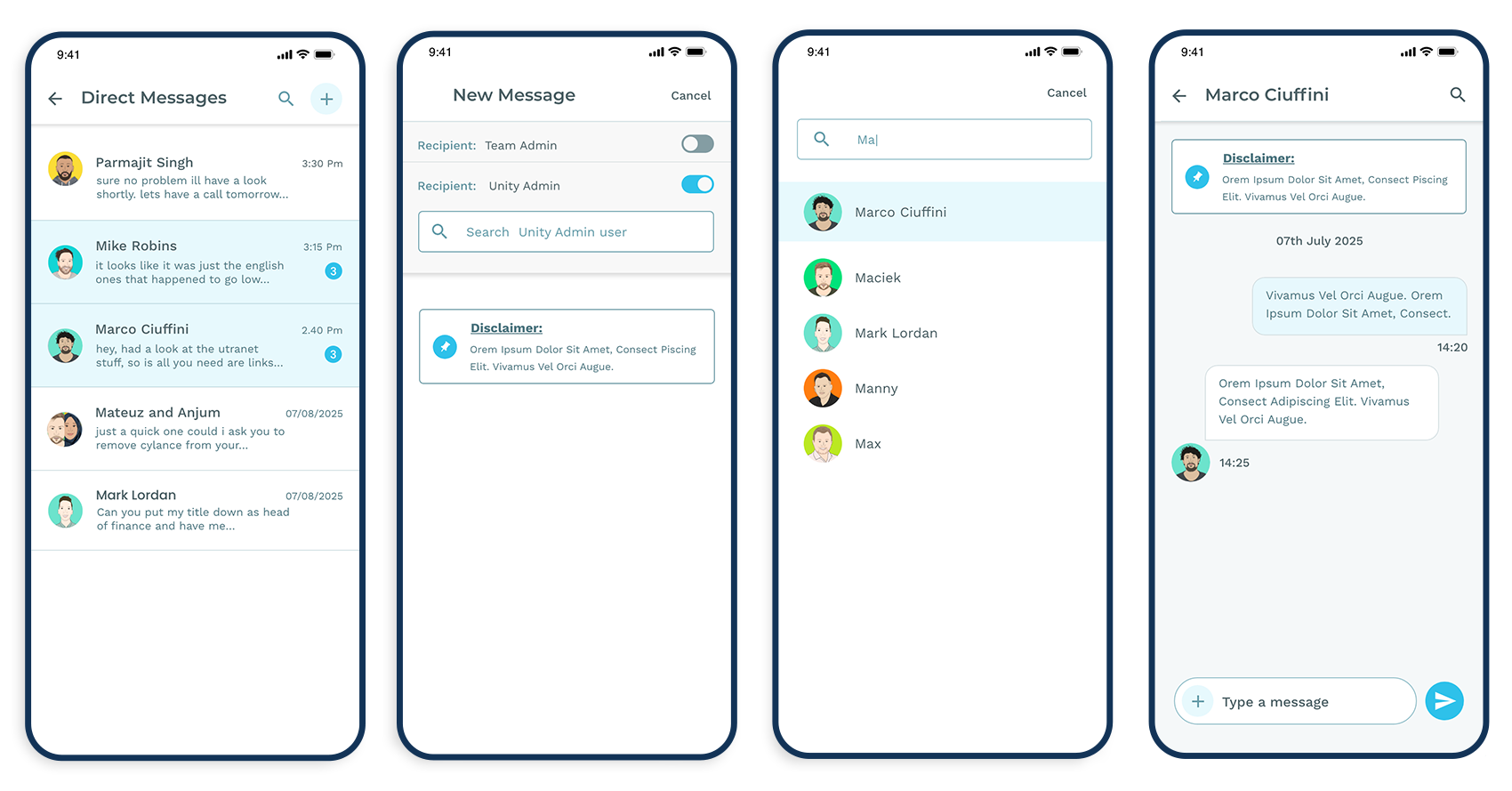
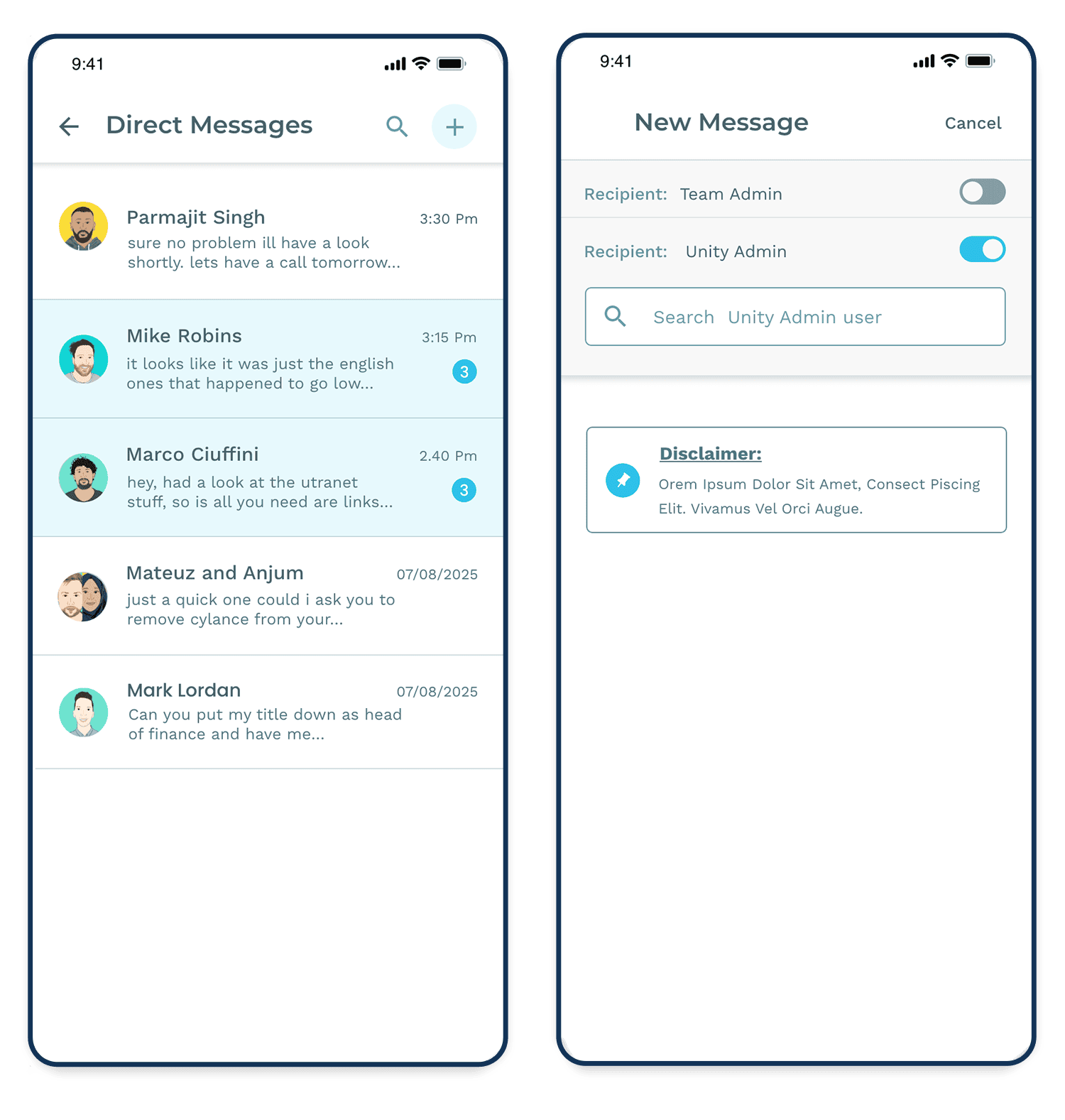
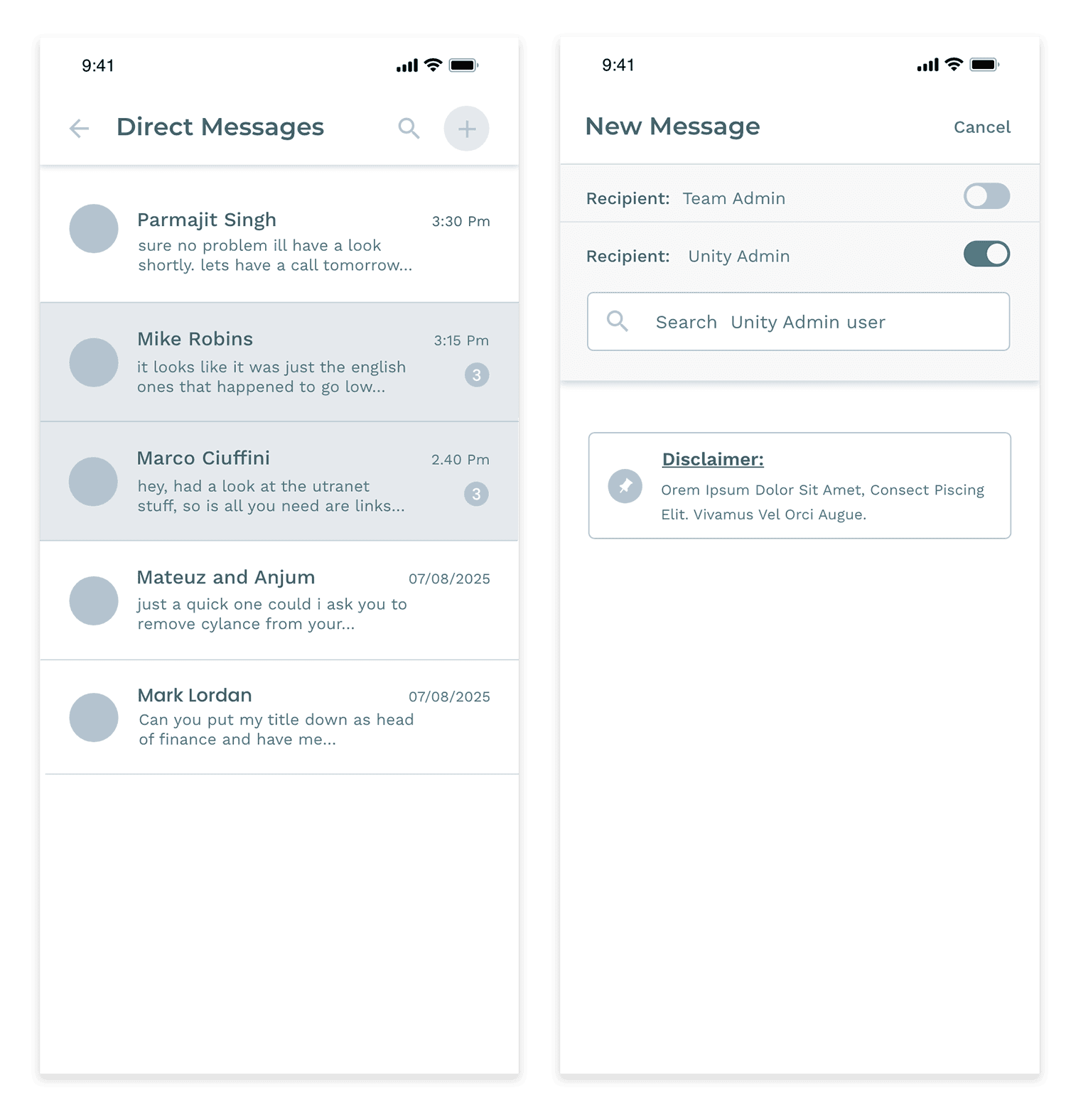
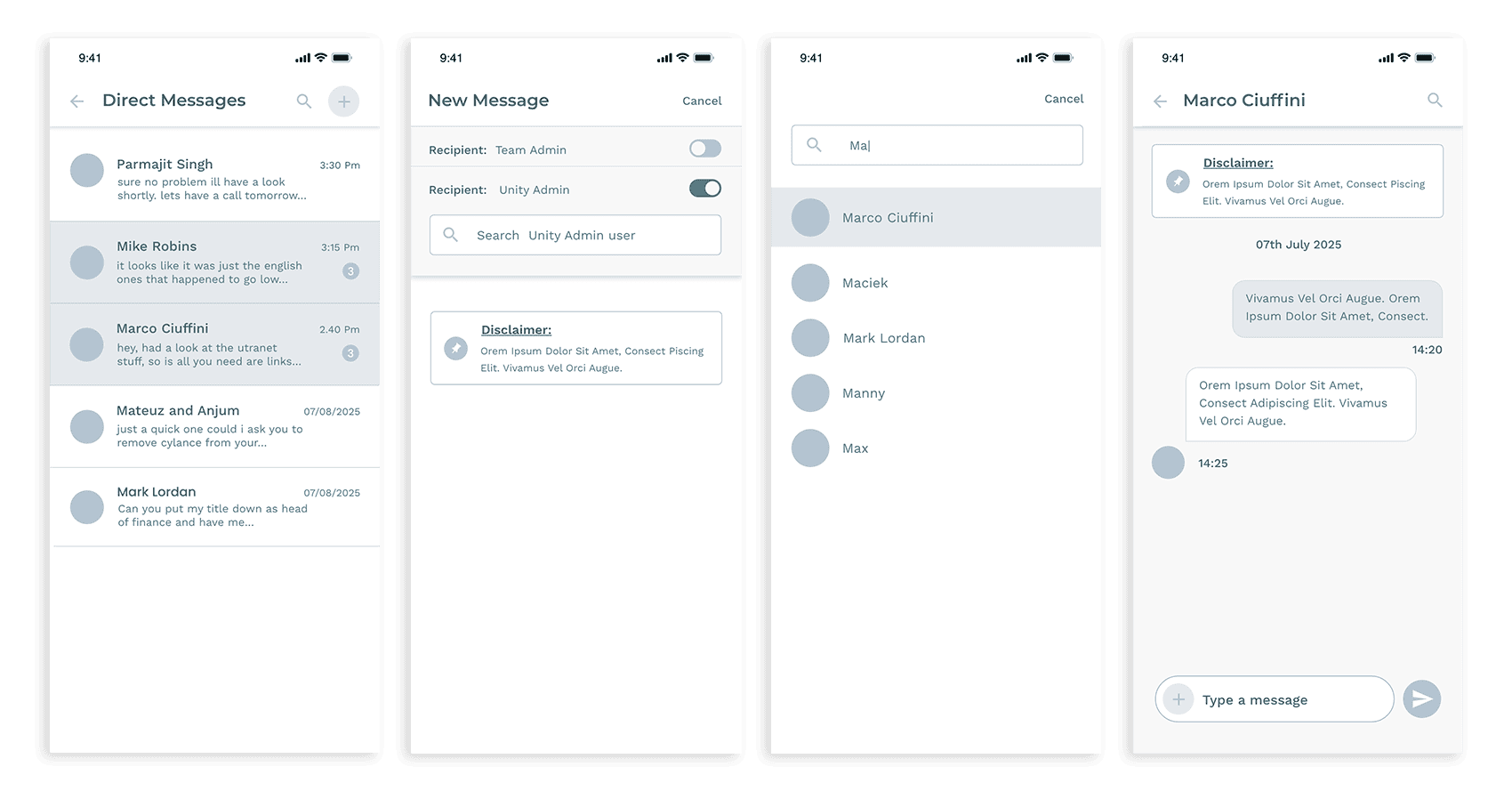
Direct Messages (DMs) can be accessed at any time from the Hub navigation bar. Users can instantly see the number of unread messages directly from the Hub menu, making it easy to stay up to date with conversations.
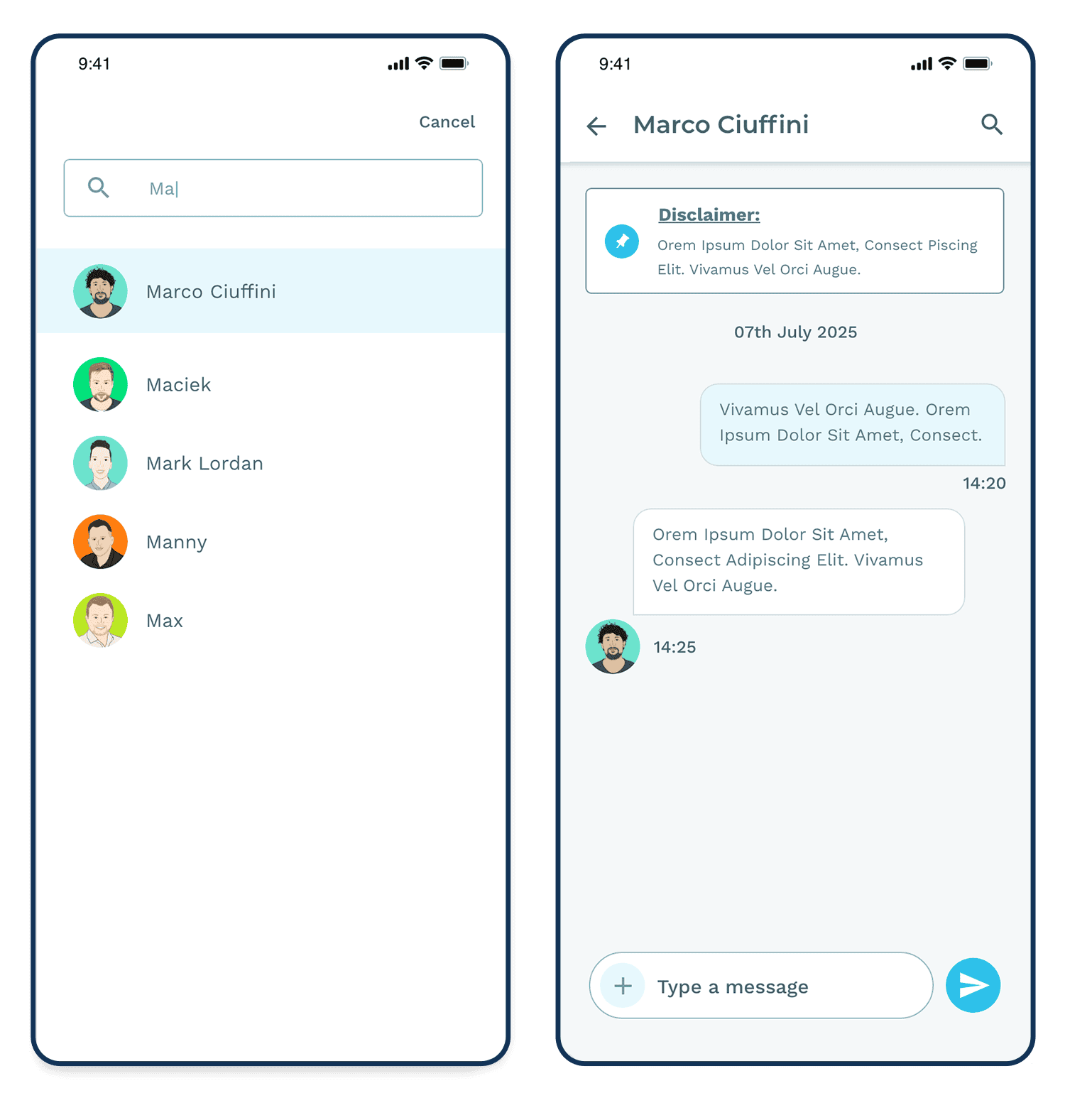
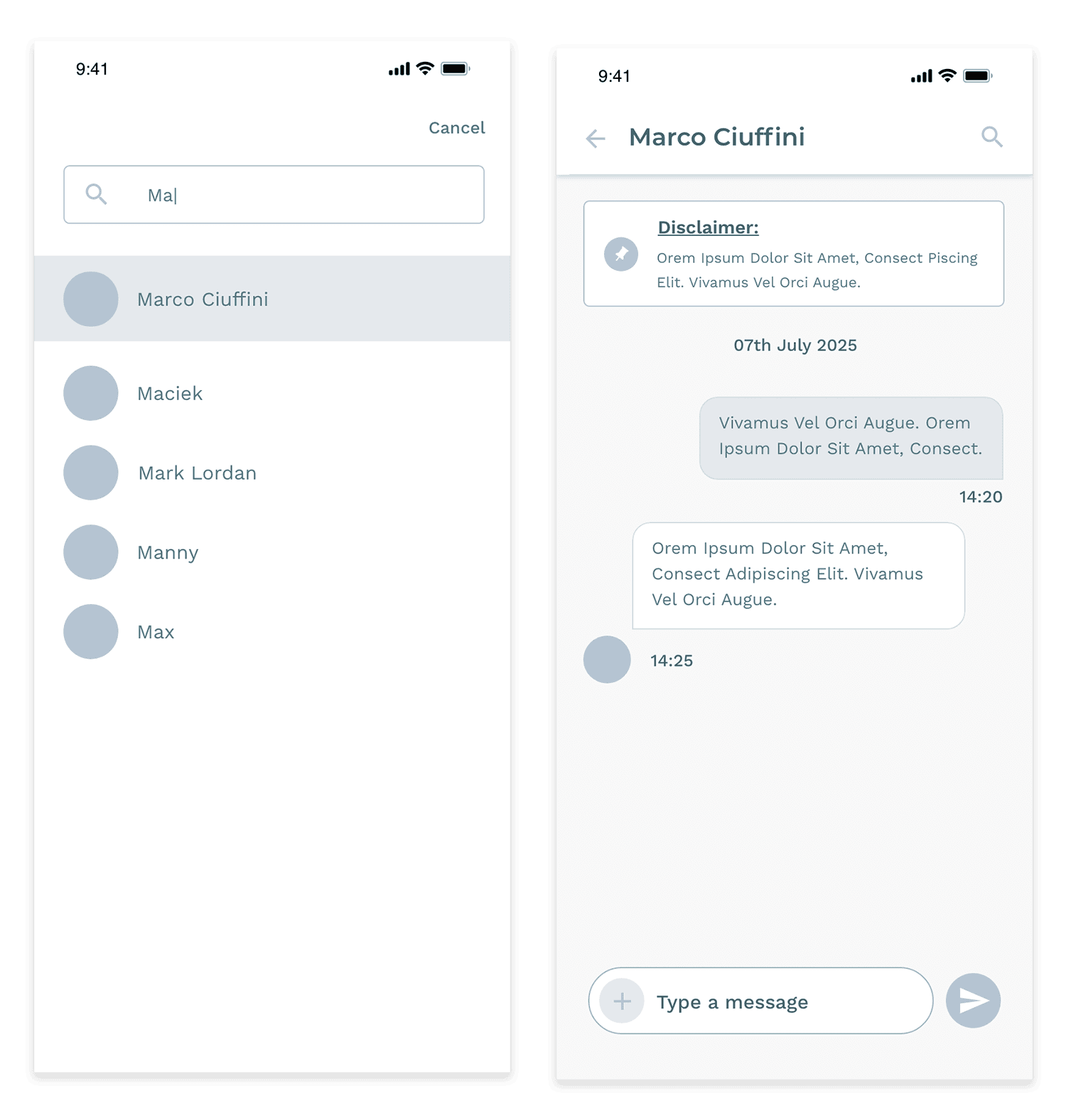
Selecting the DM icon opens the Direct Messages section, where users can view and manage their conversations. Users can also start new messages by searching for other staff members using the search bar.
Wireframes
High Fidelity Mockups